6 SEO Audit Tools to Identify Institutional Technical Gaps
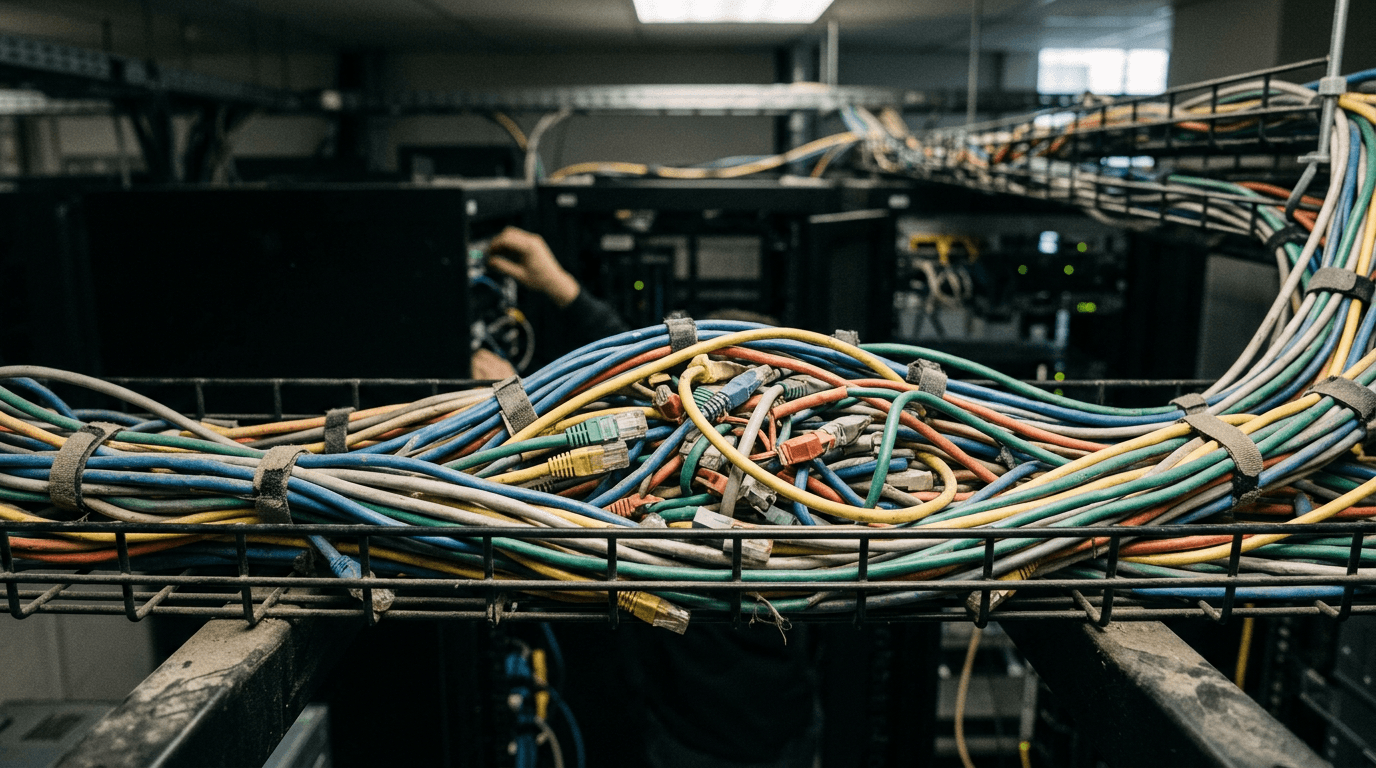
Institutional web environments are rarely built from scratch; they accumulate over decades. A university merges three distinct faculty sites, or a nonprofit bolts a donor portal onto a legacy content management system. When organic traffic inevitably stalls, stakeholders often assume a quick plugin scan will diagnose the problem. This misconception masks the reality of how search engines evaluate complex architectures. Identifying server-side bottlenecks, indexing loops, and stranded content requires dedicated seo audit tools capable of mapping technical reality against search algorithms. Free plugins cannot render JavaScript at scale, nor can they trace redirect chains across thousands of orphaned pages. Relying on superficial metrics leaves institutional domains vulnerable to slow degradation in search visibility.
Quick Summary
Technical auditing software crawls a domain's architecture to expose server-side errors, indexing bottlenecks, and structural inefficiencies that prevent search engines from parsing content. For institutional stakeholders, selecting the right infrastructure dictates whether a team uncovers critical rendering failures or merely generates superficial health scores.
- Cloud platforms centralize data but impose strict page-crawl limits.
- Local desktop crawlers require heavy local hardware but offer unfiltered data.
- Pricing models frequently penalize distributed teams by charging per user seat.
- Superficial reporting engines look good in meetings but miss deep architectural faults.
Table of Contents
- Side-by-Side Specifications Reveal Architectural Differences
- The Classification Lens Dictates the Audit Depth
- 1. Semrush
- 2. Ahrefs
- 3. Screaming Frog SEO Spider
- 4. Sitebulb
- 5. SEOptimer
- 6. SE Ranking
- Matching the Infrastructure to the Institutional Reality
Side-by-Side Specifications Reveal Architectural Differences
| Product | Audit Infrastructure Model | Features | Pros | Cons | Target Audience |
|---|---|---|---|---|---|
| Semrush | Cloud-Based Suites | Cloud crawling, 100K page limits, keyword tracking | Centralized dashboard, deep competitor data, regular indexing | Compounding user fees, strict crawl ceilings, expensive scalability | Centralized marketing departments |
| Ahrefs | Cloud-Based Suites | Domain verification, link graphing, backend mapping | Cost-controlled baseline, massive link database, robust tracking | Costly per-seat pricing, poor for collaboration, steep enterprise cost | Technical web teams |
| Screaming Frog SEO Spider | Dedicated Desktop Crawlers | Local execution, raw HTTP parsing, spreadsheet exports | Unfiltered raw data, unlimited paid crawling, no cloud storage caps | Requires heavy RAM, free tier capped at 500 URLs, annual billing only | Hands-on technical operators |
| Sitebulb | Dedicated Desktop Crawlers | Heuristic hints, page speed audits, localized processing | Visual data grouping, clear categorization, executive-friendly graphs | Fractured tier features, speed audits gated, requires paid license | Technical communicators |
| SEOptimer | Client-Facing Reporting Engines | Top-level HTML scans, PDF exports, white-labeling | Rapid PDF generation, cheap annual billing, simple setup | Architecturally shallow, limited guest version, no backlink tracking | External consultants |
| SE Ranking | Cloud-Based Suites | Scheduled crawls, API access, daily rank mapping | Integrated workflows, reliable daily tracking, decoupled API options | Strict project caps, forces tier upgrades, limits portfolio expansion | Portfolio managers |
The Classification Lens Dictates the Audit Depth
Before comparing individual platforms, institutions must evaluate the operational framework of the software. We measure these tools along the axis of the Audit Infrastructure Model. This lens separates solutions based on where the computing power resides and how the resulting data is formatted for the end user.
Cloud-Based Suites handle the crawling and data storage entirely on third-party servers. They are accessible via web browsers, making them ideal for cross-departmental alignment, but they frequently gate usage behind strict monthly page crawl limits and per-user subscription fees.
Dedicated Desktop Crawlers utilize the operator's local machine network and RAM to execute the crawl. They bypass cloud storage limitations, providing raw, unfiltered server logs. These are highly technical environments that crash if the local hardware cannot support the weight of a massive university domain.
Client-Facing Reporting Engines focus on the presentation layer. Rather than executing deep architectural sweeps, they skim surface-level HTML elements to generate polished, white-labeled documents. They are meant for presentation, not for diagnosing complex rendering loops.
Practical rule: Never buy cloud capacity for a task that requires raw, unfiltered server log analysis, and never assign a local desktop crawler to a decentralized team that needs shared dashboard access.
Institutions dealing with automated crawlers often benefit from infrastructure focused on free AI visibility for nonprofits and universities, which shifts the emphasis from traditional search rankings to direct chatbot citations. However, establishing a baseline of technical health remains a prerequisite for any visibility strategy.
1. Semrush
Department heads complain that their new faculty profiles are not appearing in search results, sending the web team looking for the structural bottleneck. Semrush provides a comprehensive digital marketing dashboard that combines site diagnostics with extensive market research capabilities.
The software initiates a cloud-based crawl, simulating a search engine bot navigating the domain. It compares the discovered architecture, metadata, and site speed against its proprietary database, delivering a prioritized list of errors, warnings, and notices. For seo competitor analysis, it cross-references overlapping ranking terms across multiple domains, revealing which structural gaps are costing the institution traffic. It maps the internal linking structure and flags pages that are buried too deep within the site hierarchy for search algorithms to effectively crawl. As a primary example of Cloud-Based Suites, this platform requires no local computing power, making it distinct from desktop alternatives.
The entry-level threshold forces selective crawling
Because page crawls and user seats are strictly capped, institutions must deploy this tool carefully. According to its published pricing, the entry-level SEO plan costs $139 per month, or $117.33 per month when billed annually, with additional users costing $45 per month each on baseline plans. It limits site audits to 100,000 pages per month. On a sprawling university domain, that limit vanishes quickly. The free plan restricts users to generating up to 10 reports per day. I would hold off on this system if multiple cross-departmental teams require autonomous dashboard access, as the compounding user fees escalate the budget rapidly.
Opt for this when centralized marketing teams require a single repository for technical audits and market research.
Pros
- Cross-references technical gaps with market rankings
- Centralizes reporting without local hardware demands
- Identifies exact overlapping ranking terms with competitors
Cons
- 100,000 page limit on the entry-level tier
- User seat costs compound rapidly on higher tiers
- Free plan restricts usage to 10 daily reports
2. Ahrefs
Unlike platforms that attempt to bundle social media scheduling and PR tracking, this system focuses strictly on link graphing and technical site health. Ahrefs operates as an index-driven diagnostic interface that maps a domain's technical errors against its inbound link profile.
By verifying domain ownership through Webmaster Tools, the system unlocks backend access to crawl the specified architecture without relying on local resources. It identifies broken outbound links, redirect chains, and orphaned pages, laying these technical faults alongside keyword rank data. It operates as a high-capacity seo ranking checker that updates its index continuously to reflect live search conditions. Cloud-Based Suites handle all data processing on remote servers, meaning you do not need to leave a local machine running for large site crawls. The dashboard visualizes how a 404 error impacts the flow of external authority through the site.
Domain verification unlocks cost-controlled baseline diagnostics
The pricing model actively discourages collaborative access among disparate departments. The Lite plan costs $129 per month on monthly billing, or $107.50 per month on annual billing, with additional user seats costing $40 per month on this tier. Massive institutional needs require upgrading to enterprise tiers for broader access. Ahrefs Webmaster Tools does offer a free tier available only for users' own verified domains to provide site auditing and keyword rankings. I would hold off if deploying this for a decentralized university where five different faculties need daily, unverified access to the crawl data.
Select this infrastructure when the primary technical concern is diagnosing how internal linking and external authority intersect.
Pros
- Free tier available for verified domain owners
- Directly maps technical faults against external backlinks
- Offloads processing power entirely to cloud servers
Cons
- Strict single-seat baseline on the Lite plan
- Extra users cost up to $100 per month on higher tiers
- Enterprise level mandates a $1,499 monthly commitment
3. Screaming Frog SEO Spider
The application requests HTTP headers and HTML from the target server directly through the user's local network connection, parsing the responses in real time to extract metadata, directives, and status codes. Screaming Frog SEO Spider is a localized desktop utility built specifically to crawl website architectures and export the raw technical findings.

As the definitive standard for Dedicated Desktop Crawlers, it bypasses cloud processing entirely, meaning it should not be compared against browser-based dashboards that store historical data remotely. It pulls the structural layout of a domain into a spreadsheet-like interface, allowing technical teams to filter by specific error types, such as server timeouts or missing canonical tags. Because the tool operates locally, the user can configure custom extraction rules to pull specific strings of code from every page on an institutional domain, identifying legacy scripts or broken tracking codes at scale.
Local execution shifts the resource burden to the operator
The reliance on local hardware dictates the maximum crawl capacity. Analyzing a massive academic repository requires significant local RAM; an underpowered laptop will simply crash before a million-page crawl completes. The free version is limited to crawling a maximum of 500 URLs per crawl, which is fundamentally useless for institutional domains. Unlocking unlimited crawling and advanced features requires a single-user paid license, which costs $279 per year. The software is sold only as an annual license with no option for monthly billing. Bulk pricing is available at $265 per license for 5 to 9 licenses, $249 for 10 to 19 licenses, and $235 for 20+ licenses. I would skip this entirely if the team conducting the audit lacks the hardware specifications necessary to process large datasets locally.
Deploy this executable when technical teams need unfiltered server response data without third-party cloud storage limits.
Pros
- Paid license removes arbitrary URL crawl limits
- Custom extraction pulls specific code at scale
- Bypasses cloud storage fees and limitations
Cons
- Requires substantial local RAM for large crawls
- Free version hard-stops at 500 URLs
- Lacks a monthly subscription billing option
4. Sitebulb
Does the technical team need raw server log data, or do stakeholders need prioritized recommendations they can actually read and present? Sitebulb functions as a localized auditing engine that translates raw crawl data into visual graphs and actionable insights.
It crawls the domain architecture and applies a series of heuristic checks to the gathered responses. Instead of merely presenting a spreadsheet of status codes, it groups the findings into specific, contextual categories - flagging which technical failures are critical bottlenecks and which are minor warnings. Operating primarily within the Dedicated Desktop Crawlers category, it processes site data locally but adds a presentation layer typically reserved for cloud applications. It visually maps site architecture, allowing users to see isolated clusters of orphaned pages that standard spreadsheets obscure.
Categorized heuristics replace manual data interpretation
The segregation of capabilities between pricing tiers restricts comprehensive performance analysis. Paid plans start at $18 per month for the Lite tier and go up to $42 per month for the Pro tier. A separate Cloud subscription plan is priced at $245 per month. The Pro tier includes 315 automated checks, referred to as 'Hints', and crucial page speed audits, whereas the Lite tier features only 138 Hints. The software holds a 4.5 out of 5 stars rating on G2. I would not choose the Lite tier for any institutional audit, as omitting page speed diagnostics leaves a massive blind spot regarding modern performance standards.
Choose this tool when bridging the gap between raw server data and executive-friendly visualization is a primary objective.
Pros
- Translates raw technical data into visual graphs
- Groups errors by severity using automated heuristics
- Offers a dedicated cloud tier for remote operations
Cons
- Lite tier strips out essential page speed audits
- Pro tier is required for the full 315 automated hints
- Cloud processing demands a heavy $245 monthly fee
5. SEOptimer
When an agency pitches a new prospect, the application parses public-facing HTML elements to generate branded, easily digestible technical summaries.
The software executes a rapid, top-level scan of a single URL's HTML elements. It assesses surface-level indicators like title tags, image alt text, and basic mobile responsiveness. It instantly compiles these data points into formatted PDFs. These exports target client presentation rather than deep backend diagnostics. Client-Facing Reporting Engines focus on outward presentation. They should not be weighed against deep technical spiders that crawl entire domains. It provides immediate seo review tools for non-technical users. These users need to confirm that baseline best practices are in place before launching a singular campaign page.
Presentation formatting takes precedence over exhaustive crawling
Its architectural shallowness means it cannot diagnose complex, site-wide indexing loops. Pricing tiers start with DIY SEO at $29 per month, White Label at $39 per month, and White Label & Embedding at $59 per month, with discounts available for annual commitments. The free guest version permits one scan per day but completely excludes advanced features like backlink monitoring and keyword tracking. Prospective buyers should evaluate the swiftness of its document generation rather than relying on aggregate software ratings. I would hold off if the objective is to uncover server-side rendering issues on a JavaScript-heavy university portal.
Implement this reporting engine when external consultants need to generate immediate, visually digestible health summaries for non-technical clients.
Pros
- Generates polished PDFs instantly for stakeholders
- Annual billing significantly reduces monthly overhead
- Simplifies baseline technical metrics for non-experts
Cons
- Free version restricts users to one audit daily
- Lacks deep architectural crawling capabilities
- Excludes backlink tracking on the free guest tier
6. SE Ranking
Organizations often purchase sprawling, heavily bundled marketing platforms when their actual bottleneck requires nothing more than precise, daily rank tracking combined with reliable site crawling. SE Ranking provides an integrated digital environment that balances continuous rank monitoring with robust technical site sweeping.
The platform conducts scheduled cloud crawls across the designated domains, matching technical site health against daily search engine visibility movements. It maps how structural adjustments influence discoverability, pulling in external data for comprehensive seo audit services and backlink analysis. As a robust entry in the Cloud-Based Suites category, it centralizes tracking without requiring any local server deployment or maintenance. It allows institutions to tie specific server optimizations directly to fluctuating keyword positions on the same unified dashboard.
Decoupled data access serves custom reporting workflows
The hard project cap creates artificial boundaries for diverse institutional portfolios. The Core plan is priced at $129 per month, or $103.20 per month when billed annually. This tier supports up to 10 projects, tracks 2,000 keywords daily, and crawls 250,000 pages per month for site audits. A university managing twelve different faculty subdomains would immediately exceed the 10-project limit, forcing a tier upgrade despite otherwise sufficient crawl budgets. For teams that only want the raw metrics, standalone API access is available without a web app subscription starting at $179 per month with annual billing. The platform holds a rating of 4.7 out of 5 stars based on 297 reviews on Capterra. What would make me hesitate is deploying the baseline tier for an organization with numerous distinct web properties.
Secure this subscription when the primary requirement is marrying high-volume page crawling with programmatic API data extraction.
Pros
- API access is available independent of the dashboard
- Core plan handles up to 250,000 page crawls monthly
- Centralizes daily ranking data with site health
Cons
- Baseline plan imposes a strict 10-project ceiling
- API standalone tier requires annual commitment
- Upgrades forced by project caps, not just crawl volume
Matching the Infrastructure to the Institutional Reality
Deploying the correct audit framework requires mapping the operational capability of the team to the demands of the platform. Buying the wrong tier leaves critical institutional data obscured behind paywalls or local hardware failures.

For centralized marketing departments handling strategy across a unified domain, Cloud-Based Suites provide the necessary cross-domain indexing and collaborative access. They offload processing power to remote servers, ensuring that massive site crawls do not paralyze internal hardware, though they require careful budget management around user seats and project limits.
When specialized technical teams need to extract unstructured data from the server directly, Dedicated Desktop Crawlers remove the artificial ceilings imposed by cloud subscriptions. These tools demand heavy local RAM but reward operators with raw, unfiltered insights into how search algorithms navigate internal architecture.
If the mandate is purely presentational, Client-Facing Reporting Engines strip away the complexity of server logs to produce rapid, visually appealing summaries. They fail as deep diagnostic tools but serve effectively as baseline health checkers for external consultants reporting to non-technical stakeholders.